
課題
|
|
|
- たかよし やたけ
- 7 years ago
- Views:
Transcription
1 float xball;// 円の中心の X 座標 float yball; // 円の中心の Y 座標 float rball; // 円の半径 color cball; // 円の色 // 円を移動させる void updateball(){ yball -= 1; if(yball+rball< 0){ yball = height+rball; // 円を描く void drawball(){ stroke(cball); fill(cball); ellipse(xball,yball,2*rball,2*rball); colormode(hsb,359,99,99); // 円の初期状態の決定 rball = random(10,20); xball = random(rball,width-rball); yball = height+rball; cball =color(random(360), random(50,100), random(50,100)); background(0,0,99); updateball(); drawball(); 1 class Ball { (a) x;// 円の中心の X 座標 (b) y;// 円の中心の Y 座標 (c) r;// 円の半径 (d) c; // 円の色 (e) (){ // コンストラクタの設定 r = random(10,20); x = random(r,width-r); y = height+r; c = color(random(360), random(50,100), random(50,100)); (f) myball; // 円を移動させる void updateball(){ (g) -= 1; if( (h) + (i) < 0){ (j) = height+ (k) ; // 円を描く void drawball(){ stroke( (l) ); fill( (m) ); (n) ; colormode(hsb,359,99,99); myball = new (o) ();
2 background(0,0,99); updateball(); drawball(); class Ball { (a) x;// 円の中心の X 座標 (b) y;// 円の中心の Y 座標 (c) r;// 円の半径 (d) c; // 円の色 (e) (){ // コンストラクタの設定 r = random(10,20); x = random(r,width-r); y = height+r; c = color(random(360), random(50,100), random(50,100)); // 円を移動させる void update(){ (g) -= 1; if( (h) + (i) < 0){ (j) = height+ (k) ; // 円を描く stroke( (l) ); fill( (m) ); (n) ; (f) myball; colormode(hsb,359,99,99); myball = (o) ; background(0,0,99); (p).update(); (q).draw(); 2
3 class Ball { (a) x;// 円の中心の X 座標 (b) y;// 円の中心の Y 座標 (c) r;// 円の半径 (d) c; // 円の色 // コンストラクタの設定 (e) (float x0,float y0, float r0,color c0){ x = x0; y = y0; r = r0; c = c0; // 円を移動させる void update(){ (g) -= 1; if( (h) + (i) < 0){ (j) = height+ (k) ; // 円を描く stroke( (l) ); fill( (m) ); (n) ; 3 (f) myball; colormode(hsb,359,99,99); myball = new Ball(width/2, height, 20, color(0,99,99)); background(0,0,99); (p).update(); (q).draw(); (f) myball; colormode(hsb,359,99,99); myball = new Ball(width/2, height, 20, (z) );
4 background(0,0,99); (p).update(); (q).draw(); color c; int xpos; int ypos; int xspeed; size(200,200); c = color(255); xpos = width/2; ypos = height/2; xspeed = 1; void display(){ rectmode(center); stroke(c); fill(c); rect(xpos,ypos,20,10); (a) Car (b) color c; int (c) ; int (d) ; int (e) ; Car(){ // デフォルトコンストラクタ c = color( (f) ); xpos = (g) ; ypos = (h) ; xspeed = 1; void display(){ rectmode(center); stroke( (i) ); fill( (j) ); rect( (k), (l),20,10); void drive(){ (m) += (n) ; if( (o) > (p) ){ (r) = 0; void drive(){ xpos += xspeed; if(xpos > width){ xpos = 0; 4
5 background(0); drive(); display(); Car (r) ; size(200,200); // Car オブジェクトを作る mycar = (r) ; background(0); (s) (); (t) (); (a) Car (b) color c; int (c) ; int (d) ; int (e) ; // デフォルトコンストラクタ Car(){ c = color( (f) ); xpos = (g) ; ypos = (h) ; xspeed = 1; // 引数付きのコンストラクタ Car (color carcolor,int x,int y,int s){ c = carcolor; xpos = x; ypos = y; xspeed = s; void display(){ rectmode(center); stroke( (i) ); fill( (j) ); rect( (k), (l),20,10); void drive(){ (m) += (n) ; if( (o) > (p) ){ (r) = 0; Car (s) ; Car (t) ; mycar1 = (u) ; mycar2 = new (v) (color( (w) ), width/2,height/4,1); background(0); (x).drive(); (y).display(); (z).drive(); (aa).display(); 5
6 float x = 100; float y = 0; float speed = 3; float gravity = 0.5; size(200,400); background(100); fill(255); nostroke(); rectmode(center); rect(x,y,10,20); y = y+speed; speed = speed + gravity; if(y+10 > height){ speed = -0.95*speed; y = height-10; 6
7 float xcenter; // 円の中心の X 座標 float ycenter; // 円の中心の Y 座標 float xspeed; // X 軸方向の移動速度 float yspeed; // Y 軸方向の移動速度 float radius; // 円の半径 radius = 10; xcenter = -radius; ycenter = -radius; xspeed = 0.5; yspeed = 1.2; class (a) { float xcenter; // 円の中心の X 座標 float ycenter; // 円の中心の Y 座標 float xspeed; // X 軸方向の移動速度 float yspeed; // Y 軸方向の移動速度 float radius; // 円の半径 // デフォルトコンストラクタ (b) (float vx0,float vy0){ radius = 10; xcenter = radius; ycenter = radius; xspeed = vx0; yspeed = vy0; 7
8 background(255); // move xcenter += xspeed; ycenter += yspeed; // draw stroke(0); fill(0); ellipse(xcenter,ycenter,2*radius,2*radius); void move(){ xcenter += xspeed; ycenter += yspeed; stroke(0); fill(0); ellipse(xcenter,ycenter,2*radius,2*radius); (c) aball; aball = new (d) ( (e), (f) ); background(255); aball.move(); aball.draw(); 8
9 float xcenter; // 円の中心の X 座標 float ycenter; // 円の中心の Y 座標 float xspeed; // X 軸方向の移動速度 float yspeed; // Y 軸方向の移動速度 float radius; // 円の半径 radius = 10; xcenter = -radius; ycenter = -radius; xspeed = 0.5; yspeed = 1.2; background(255); if(isoutofrange()){ xcenter = -radius; ycenter = -radius; xspeed = random(0.4,2.0); yspeed = random(0.4,2.0); // move xcenter += xspeed; ycenter += yspeed; // draw stroke(0); fill(0); ellipse(xcenter,ycenter,2*radius,2*radius); class (a) { float xcenter; // 円の中心の X 座標 float ycenter; // 円の中心の Y 座標 float xspeed; // X 軸方向の移動速度 float yspeed; // Y 軸方向の移動速度 float radius; // 円の半径 // デフォルトコンストラクタ (b) (float vx0,float vy0){ radius = 10; xcenter = radius; ycenter = radius; xspeed = vx0; yspeed = vy0; void move(){ xcenter += xspeed; ycenter += yspeed; stroke(0); fill(0); ellipse(xcenter,ycenter,2*radius,2*radius); (c) isoutofrange(){ if(xcenter-radius > width){ return true; else if(ycenter-radius > height){ return true; return false; 9
10 boolean isoutofrange(){ if(xcenter-radius > width){ return true; else if(ycenter-radius > height){ return true; return false; (d) aball; aball = new (e) ( (f), (g) ); if(aball.isoutofrange()){ aball.xcenter = (h) ; aball.ycenter = (i) ; aball.xspeed = (j) ; aball.yspeed = (k) ; aball.move(); aball.draw(); 10
課題
 size(300,120); void drawrect(float x,float y,float w,float h,color c){ rectmode(corner); stroke( (a) ); fill( (b) ); rect( (c), (d), (e), (f) ); float x = map(hour(), (g), (h), (i), (j) ); drawrect(0,0,x,height/3,color(
課題
 float[] xball; float[] yball; int numberofballs = (a) ; int radius=10; size(400,400); xball = (b) (c) [numberofballs]; yball = (d) (e) [numberofballs]; xball[i] = random(radius,width-radius); yball[i]
課題
 2018 6 22 2. float[] y = new float[5]; void setup() { size(400, 200); for (int i=0;i< (a) ;i++) { y[i] = random(0.3*width, width); void draw() { y[ (b) ] = mousex; int minpos = findminpos( (c) ); for (int
課題
 colormode(hsb,359,99,99); background(0,0,99); s = 99; x = mousex; y = mousey; nostroke(); while(s >= 0 && (0
もう少し数学っぽい関数もあります 関数名 abs(x) sqrt(x) sq(x) pow(x,n) exp(x) log(x) dist(x1, y1, x2, y2) constrain(v, m0, m1) lerp(v0,v1,t) map(v, low1, high1, low2, hig
 情報メディア基盤ユニット用資料 (2012 年 6 月 12 日分 ) Processing 言語による情報メディア入門 組み込み関数 関数 ( その 2) 2012 年 6 月 12 日修正 神奈川工科大学情報メディア学科 までにも いくつか使ってきましたが Processing では沢山の今関数が用意されています その中でよく使いそうなものを以下に挙げておきます ここで紹介する関数は 呼び出すと何らかの値
スライド 1
 グラフィックスの世界第 3 回 サイバーメディアセンター サイバーコミュニティ研究部門安福健祐 Processing によるアニメーション setup と draw void setup() size(400, 400); void draw() ellipse( mousex,mousey,100,100); void とか setup とか draw とかはじめて見る が出てきてややこしい ellipseは円描く関数でした
挙動チェックポイントなどセミコロン ; を忘れていませんか? 黄色なんだか動かないで表示されている部分またはその少し前 Syntax error, maybe a missing にセミコロンを忘れている場所はありま semicolon? などと表示されます せんか? なんだか動作がおかしい の部分
 情報メディア基盤ユニット用資料 (2012 年 5 月 29 日分 ) Processing 言語による情報メディア入門 座標変換 ( 続き ) と関数 ( その 1) 2012 年 5 月 30 日修正 神奈川工科大学情報メディア学科 プログラムが動かない - Σヽ ( `д ;) ノうぉぉぉ! となる前に サンプルのプログラムを入力すると 上手く実行出来ないことがあります その時に チェックした方がよい点を挙げておきます
Processing入門マニュアル17
 20. 連続したベジェ曲線を描く beginshape(); beziervertex(x座標, y座標); endshape(); ベジェ曲線を連続して描くためにはbezierVertex命令をbeginShapeとendShape命令の間に記述します ( C1x, C1y ) ( V1x, V1y ) ( V2x, V2y ) ( C2x, C2y ) ( C3x, C3y ) ( C6x, C6y
課題
 int starttime_msec; boolean counting = false; size(400,200); smooth(); //font は各自のものに変更してください font = loadfont("serif-48.vlw"); void mouseclicked(){ counting = true; starttime_msec = millis(); int t=0;
Processingをはじめよう
 Processing をはじめよう 第 7 章 動きその 2 目次 フレームレート スピードと方向 移動 回転 拡大 縮小 2 点間の移動 乱数 タイマー 円運動 今回はここまで 2 2 点間の移動 Example 7-6 (EX_08_06) 始点 (startx, starty) から終点 (stopx, stopy) まで移動する 座標更新の計算方法は後述 始点と終点を変更しても動作する 変更して確認
 line(x1, y1, x2, y2); (x1, y1) rect(x, y, width, height); (x, y) (x1, y1) (x2, y2) height width (x2, y2) ellipse(x, y, width, height); rectmode(corners); rect(x1, y1, x2, y2); (x,y) width height strokeweight(4);
問 1 図 1 の図形を作るプログラムを作成せよ 但し ウィンドウの大きさは と し 座標の関係は図 2 に示すものとする 図 1 作成する図形 原点 (0,0) (280,0) (80,0) (180,0) (260,0) (380,0) (0,160) 図 2 座標関係 問 2
 問 1 図 1 の図形を作るプログラムを作成せよ 但し ウィンドウの大きさは 400 200 と し 座標の関係は図 2 に示すものとする 図 1 作成する図形 原点 (0,0) (280,0) (80,0) (180,0) (260,0) (380,0) (0,160) 図 2 座標関係 問 2 for 文を用いて図 3 の様な図形を描くプログラムを作成せよ 但し ウィンドウのサイズは 300 300
r3.dvi
 00 3 2000.6.10 0 Java ( 7 1 7 1 GSSM 1? 1 1.1 4 4a 4b / / 0 255 HTML X 0 255 16 (0,32,255 #0020FF Java xclock -bg #0020FF xclock ^C (Control C xclock 4c 1 import java.applet.applet; import java.awt.*;
10K pdf
 #1 #2 Java class Circle { double x; // x double y; // y double radius; // void set(double tx, double ty){ x = tx; y = ty; void set(double tx, double ty, double r) { x = tx; y = ty; radius = r; // Circle
<4D F736F F D B B83578B6594BB2D834A836F815B82D082C88C60202E646F63>
 デザイン言語 Processing 入門 サンプルページ この本の定価 判型などは, 以下の URL からご覧いただけます. http://www.morikita.co.jp/books/mid/084931 このサンプルページの内容は, 初版 1 刷発行当時のものです. Processing Ben Fry Casey Reas Windows Mac Linux Lesson 1 Processing
Java演習(9) -- クラスとメソッド --
 Java (9) Java (9) Java (9) 3 (x, y) x 1 30 10 (0, 50) 1 2 10 10 (width - 10, 80) -2 3 50 10 (width / 2, 110) 2 width 3 (RectMove4-1.java) import javax.swing.japplet; import javax.swing.timer; import java.awt.graphics;
JavaプログラミングⅠ
 Java プログラミング Ⅱ 4 回目クラスの機能 (2) コンストラクタ クラス変数 クラスメソッド課題 確認 問題次の各文は正しいか誤っているか答えなさい (1) コンストラクタはメソッドと同様に戻り値をもつ (2) コンストラクタはオブジェクトが生成されると最初に実行される (3) コンストラクタはメソッドと同様にオーバーロードができる (4) コンストラクタは常に public メンバとしなければならない
Java学習教材
 Java 2016/4/17 Java 1 Java1 : 280 : (2010/1/29) ISBN-10: 4798120987 ISBN-13: 978-4798120980 2010/1/29 1 Java 1 Java Java Java class FirstExample { public static void main(string[] args) { System.out.println("
Processing による ポーカーゲームについて 八神孝嗣
 Processing による ポーカーゲームについて 110429085 八神孝嗣 Processing によるポーカーゲームについて 1. はじめに Processing でポーカーをつくったきっかけとしては, 指導教員が持ってきた資料の中でトランプを使ったゲームが多かったので, その中でも簡単だと思ったポーカーを選んだ. 2. ポーカーの歴史 ポーカーはトランプを使うゲームである 主にアメリカでプレイされているゲームで,
情報システム設計論II ユーザインタフェース(1)
 プログラミング演習 (3) 変数 : 計算とアニメーション 中村, 高橋 小林, 橋本 1 目標 Processing で計算してみよう Processing でアニメーションしよう 計算の方法を理解する 変数を理解する 課題 : Processing でアニメーションしよう! 計算してみよう 地球の半径は 6378.137km. では, 地球 1 周の距離はどれくらいになるでしょうか? println(
r3.dvi
 10 3 2010.9.21 1 1) 1 ( 1) 1: 1) 1.0.1 : Java 1 import java.awt.*; import javax.swing.*; public class Sample21 extends JPanel { public void paintcomponent(graphics g) { g.setcolor(new Color(255, 180, 99));

Processingをはじめよう
 Processing をはじめよう 第 5 章 反応 目次 繰り返されるdrawと一度だけのsetup 追いかける クリック カーソルの位置 キーボードからの入力 マッピング Robot 3: Response 繰り返される draw と一度だけの setup Example 5-1 draw() 関数 println("i'm drawing"); println(framecount); draw()
Microsoft PowerPoint P演習 第10回 関数.ppt [互換モード]
![Microsoft PowerPoint P演習 第10回 関数.ppt [互換モード]](/thumbs/93/111268660.jpg "Microsoft PowerPoint P演習 第10回 関数.ppt [互換モード]") プログラミング演習 (10) 関数 中村, 橋本, 小松, 渡辺 1 目標 Processing で関数に挑戦! 機能をどんどん作ってみよう! 円とか四角形だけじゃなくて, 色々な図形描画を関数にしてしまおう! 判定も関数で! 関数 背景を塗りつぶす : background( 色 ); 円を描く : ellipse(x 座標, y 座標, 縦直径, 横直径 ); 線を描く : line( x1,
プログラミング演習 (10) 関数 中村, 橋本, 小松, 渡辺 1 目標 Processing で関数に挑戦! 機能をどんどん作ってみよう! 円とか四角形だけじゃなくて, 色々な図形描画を関数にしてしまおう! 判定も関数で! 関数 背景を塗りつぶす : background( 色 ); 円を描く : ellipse(x 座標, y 座標, 縦直径, 横直径 ); 線を描く : line( x1,
CG
 Grahics with Processig 2016-05 複雑な図形の描画 htt://vilab.org 塩澤秀和 1 2006-2016 H. SHIOZAWA htt://vilab.org 5.1 頂点列による図形描画 複雑な図形描画 begishae( 図形 ) 頂点列モードの開始 図形が空欄なら頂点を線で結ぶ ( 折れ線か多角形になる ) その他, 下記図形を指定できる POINTS,
K227 Java 2
 1 K227 Java 2 3 4 5 6 Java 7 class Sample1 { public static void main (String args[]) { System.out.println( Java! ); } } 8 > javac Sample1.java 9 10 > java Sample1 Java 11 12 13 http://java.sun.com/j2se/1.5.0/ja/download.html
情報システム設計論II ユーザインタフェース(1)
 プログラミング演習 (5) 条件分岐 (2) 中村, 高橋 小林, 橋本 1 目標 Processing で当たり判定に挑戦! 条件分岐を理解する 何らかの条件を満たした時に色を変える! マウスカーソルと動いている円がぶつかったら終了 シューティングゲームやもぐらたたきに挑戦! 課題 : Processing でゲームを作ろう! 占いを作ってみよう フローチャートと条件分岐 プログラムの流れ 年齢確認
やさしいJavaプログラミング -Great Ideas for Java Programming サンプルPDF
 pref : 2004/6/5 (11:8) pref : 2004/6/5 (11:8) pref : 2004/6/5 (11:8) 3 5 14 18 21 23 23 24 28 29 29 31 32 34 35 35 36 38 40 44 44 45 46 49 49 50 pref : 2004/6/5 (11:8) 50 51 52 54 55 56 57 58 59 60 61
: : : TSTank 2
 Java (8) 2008-05-20 Lesson6 Lesson5 Java 1 Lesson 6: TSTank1, TSTank2, TSTank3 java 2 car1 car2 Car car1 = new Car(); Car car2 = new Car(); car1.setcolor(red); car2.setcolor(blue); car2.changeengine(jet);
情報システム設計論II ユーザインタフェース(1)
 プログラミング演習 (9) 多重配列 中村, 青山 小林, 橋本 1 目標 Processing で多重配列に挑戦! 2 次元のマス目に配置されたオブジェクトをどう扱っていくか? 課題 : オセロゲームを作ってみる ライツアウトを作ってみよう 2 次元配列の定義 int[][] square = new int [10][5]; 整数型で要素数が10x5 個の square という配列を作成 square
I java A
 I java 065762A 19.6.22 19.6.22 19.6.22 1 1 Level 1 3 1.1 Kouza....................................... 3 1.2 Kouza....................................... 4 1.3..........................................
JavaプログラミングⅠ
 Java プログラミング Ⅰ 12 回目クラス 今日の講義で学ぶ内容 クラスとは クラスの宣言と利用 クラスの応用 クラス クラスとは 異なる複数の型の変数を内部にもつ型です 直観的に表現すると int 型や double 型は 1 1 つの値を管理できます int 型の変数 配列型は 2 5 8 6 3 7 同じ型の複数の変数を管理できます 配列型の変数 ( 配列変数 ) クラスは double
19 3!! (+) (>) (++) (+=) for while 3.1!! (20, 20) (1)(Blocks1.java) import javax.swing.japplet; import java.awt.graphics;
 19 3!!...... (+) (>) (++) (+=) for while 3.1!! 3.1.1 50 20 20 5 (20, 20) 3.1.1 (1)(Blocks1.java) public class Blocks1 extends JApplet { public void paint(graphics g){ 5 g.drawrect( 20, 20, 50, 20); g.drawrect(
Java 基礎問題ドリル ~ メソッドを理解する ~ 次のプログラムコードに 各設問の条件にあうメソッドを追加しなさい その後 そのメソッドが正しく動作することを検証するためのプログラムコードを main メソッドの中に追加しなさい public class Practice { // ここに各設問
 Java 基礎問題ドリル ~ メソッドを理解する ~ 次のプログラムコードに 各設問の条件にあうメソッドを追加しなさい その後 そのメソッドが正しく動作することを検証するためのプログラムコードを main メソッドの中に追加しなさい public class Practice { // ここに各設問のメソッドを追加する public static void main(string[] args) {
p5.js p5.js p5.js Tetris Tetris
 平成 28 年度 数学講究録 題目 p5.js によるテトリスプログラム Processing による Shooting Game の作成 Processing の Othello のプログラム作成 指導教員 冨田耕史 120429030 熊澤龍佑 130440071 堀部達也 130440087 矢野稜也 130440058 城裕太 130440076 丸山慎椰 130440090 山本幸司 提出日平成

Java演習(4) -- 変数と型 --
 50 20 20 5 (20, 20) O 50 100 150 200 250 300 350 x (reserved 50 100 y 50 20 20 5 (20, 20) (1)(Blocks1.java) import javax.swing.japplet; import java.awt.graphics; (reserved public class Blocks1 extends
Javaプログラムの実行手順
 戻り値のあるメソッド メソッドには 処理に使用する値を引数として渡すことができました 呼び出し 側からメソッドに値を渡すだけでなく 逆にメソッドで処理を行った結果の値を 呼び出し側で受け取ることもできます メソッドから戻してもらう値のことを もどりち戻り値といいます ( 図 5-4) 図 5-4. 戻り値を返すメソッドのイメージ 戻り値を受け取ることによって ある計算を行った結果や 処理に成功したか失
ch31.dvi
 1 1 1.1 1.1.1 ( ) ( 1.1 ): [ ] [ ] CPU[ + ] [ ] CPU( ) ( 1 2 1 1.1: ( 1.1 ): ( ) [ ] ( )[ ] + ( ) (+ ) ( ) ( ) 1.1. 3 1.2: ( ) ( ) ( 1.2) 4 1 1.3: 120m/ (432km/h) 0.5 2m/ 1 ( 1 ) ( ) ( ) ( 1.3) 1.1. 5
プログラミング演習 Ⅰ 第 14 回 2017/6/5( 月 ) ゲームを作る クイズ 担当 : 紅林林
 プログラミング演習 Ⅰ 第 14 回 2017/6/5( 月 ) ゲームを作る クイズ 担当 : 紅林林 クイズゲーム概要 o 画 面に問題 文と選択肢 3 つを表 示 o 1, 2, 3 のキーで答える o 正解の場合は 不不正解の場合は を重ねて表 示 o 1 つの問題が終わったら次の問題へ移動 o 最後に正解した数を表 示 解答後の画 面 ( 正解の場合 ) 解答前の画 面 解答後の画 面 (
アルゴリズムとデータ構造1
 1 2005 7 22 22 (sakai.keiichi@kochi [email protected]) http://www.info.kochi-tech.ac.jp/k1sakai/lecture/alg/2005/index.html tech.ac.jp/k1sakai/lecture/alg/2005/index.html f(0) = 1, f(x) =
スライド 1
 Graphics with Processing 2007-11 シェーディングとテクスチャマッピング http://vilab.org 塩澤秀和 1 11.1 シェーディング シェーディング シェーディングとは Shading= 陰影づけ 光の反射 材質のモデル ( 前回 ) ポリゴンの陰影計算モデル = シェーディングモデル シェーディングモデル フラットシェーディング ポリゴンを単一色で描画
ALG ppt
 2012614 ([email protected]) http://www.info.kochi-tech.ac.jp/k1sakai/lecture/alg/2012/index.html 1 2 2 3 29 20 32 14 24 30 48 7 19 21 31 4 N O(log N) 29 O(N) 20 32 14 24 30 48 7 19 21 31 5
2009 T
 T060061 Wii Visual C++ 2008 Express Edition Visual C++ 2008 Express Edition ++ ++ Paint.net ++ 1 2009 T060061 2 1 4 2 4 2.1 Visual C++ 2008 Express Edition.......................... 4 2.2.....................................
スライド 1
 Graphics with Processing 2008-12 モデリング http://vilab.org 塩澤秀和 1 12.1 3D モデリング モデリング 3Dモデルを作り上げること オブジェクト座標系で基本図形やポリゴンを組み合わせる テクスチャ x テクスチャ z y 2 12.2 オブジェクトの関数例 複雑なオブジェクトは, 大きさ 1 を目安としてモデリングし, 関数にしておくと利用しやすい
問 次の Fortran プログラムの説明及びプログラムを読んで、設問に答えよ。
 解答例 問題 1 変数 a が 3 以上でかつ 7 以下の場合 true と表示し そうでない場合は false と表示するプログラムである public class Prog061004_01 { int a; boolean b; a = Integer.parseInt(buf.readLine()); b = (a >= 3) && (a
明解Javaによるアルゴリズムとデータ構造
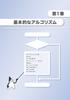 21 algorithm List 1-1 a, b, c max Scanner Column 1-1 List 1-1 // import java.util.scanner; class Max3 { public static void main(string[] args) { Scanner stdin = new Scanner(System.in); Chap01/Max3.java
アルゴリズムとデータ構造1
 1 200972 (sakai.keiichi@kochi [email protected]) http://www.info.kochi ://www.info.kochi-tech.ac.jp/k1sakai/lecture/alg/2009/index.html 29 20 32 14 24 30 48 7 19 21 31 Object public class
cpp4.dvi
 2017 c 4 C++ (4) C++, 41, 42, 1, 43,, 44 45, 41 (inheritance),, C++,, 100, 50, PCMCIA,,,,,,,,, 42 1 421 ( ), car 1 [List 41] 1: class car { 2: private: 3: std::string m model; // 4: std::string m maker;
piyo0702a.rtfd
 21 Rectangle & Rectangle2D 1 ウィンドウに矩形を描く方法を紹介します のに Rectangle2D.Float(float x, float y, float w, float h) があります が Python では double と float との違いを意識する必要はありません void drawrect(int x, int y, int width, int height)
8 if switch for while do while 2
 (Basic Theory of Information Processing) ( ) if for while break continue 1 8 if switch for while do while 2 8.1 if (p.52) 8.1.1 if 1 if ( ) 2; 3 1 true 2 3 false 2 3 3 8.1.2 if-else (p.54) if ( ) 1; else
Microsoft PowerPoint - chap10_OOP.ppt
 プログラミング講義 Chapter 10: オブジェクト指向プログラミング (Object-Oriented Programming=OOP) の入り口の入り口の入り口 秋山英三 F1027 1 例 : 部屋のデータを扱う // Test.java の内容 public class Test { public static void main(string[] args) { double length1,
人工知能入門
 藤田悟 黄潤和 探索とは 探索問題 探索解の性質 探索空間の構造 探索木 探索グラフ 探索順序 深さ優先探索 幅優先探索 探索プログラムの作成 バックトラック 深さ優先探索 幅優先探索 n 個の ueen を n n のマスの中に 縦横斜めに重ならないように配置する 簡単化のために 4-ueen を考える 正解 全状態の探索プログラム 全ての最終状態を生成した後に 最終状態が解であるかどうかを判定する
Java言語 第1回
 Java 言語 第 8 回ウインドウ部品を用いる (1) 知的情報システム工学科 久保川淳司 [email protected] 前回の課題 (1) マウスを使って, 前回課題で作成した 6 4 のマスの図形で, \ をマウスクリックによって代わるようにしなさい 前回の課題 (2) import java.applet.applet; import java.awt.*;
新・明解Java入門
 537,... 224,... 224,... 32, 35,... 188, 216, 312 -... 38 -... 38 --... 102 --... 103 -=... 111 -classpath... 379 '... 106, 474!... 57, 97!=... 56 "... 14, 476 %... 38 %=... 111 &... 240, 247 &&... 66,
ALG2012-A.ppt
 21279 ([email protected]) http://www.info.kochi-tech.ac.jp/k1sakai/lecture/alg/212/index.html (, )ε m = n C2 = n ( n 1) / 2 m = n ( n 1) 1 11 11 111 11 111 111 1111 1 1 11 1 11 11 111 4-dimentional
0720
 DRM SNS WP WP UG Width of the Flash tag cloud Height of the Flash tag cloud Color of the tags 000000 Background color FFFFFF Use compatibility mode? WEB - HTML Color Names http://www.joomler.net/download/131-wordpress/890-wordpress-wp-cumulus-49kb.html